


 TALLY PRIME ERP
 ZOHO ONE ERP
 VAYPAR
 ODOO ERP
 SAP Business One
 ORACLE NetSuite
 Biz Analyst
 CUSTOMISED POS SOFTWARES





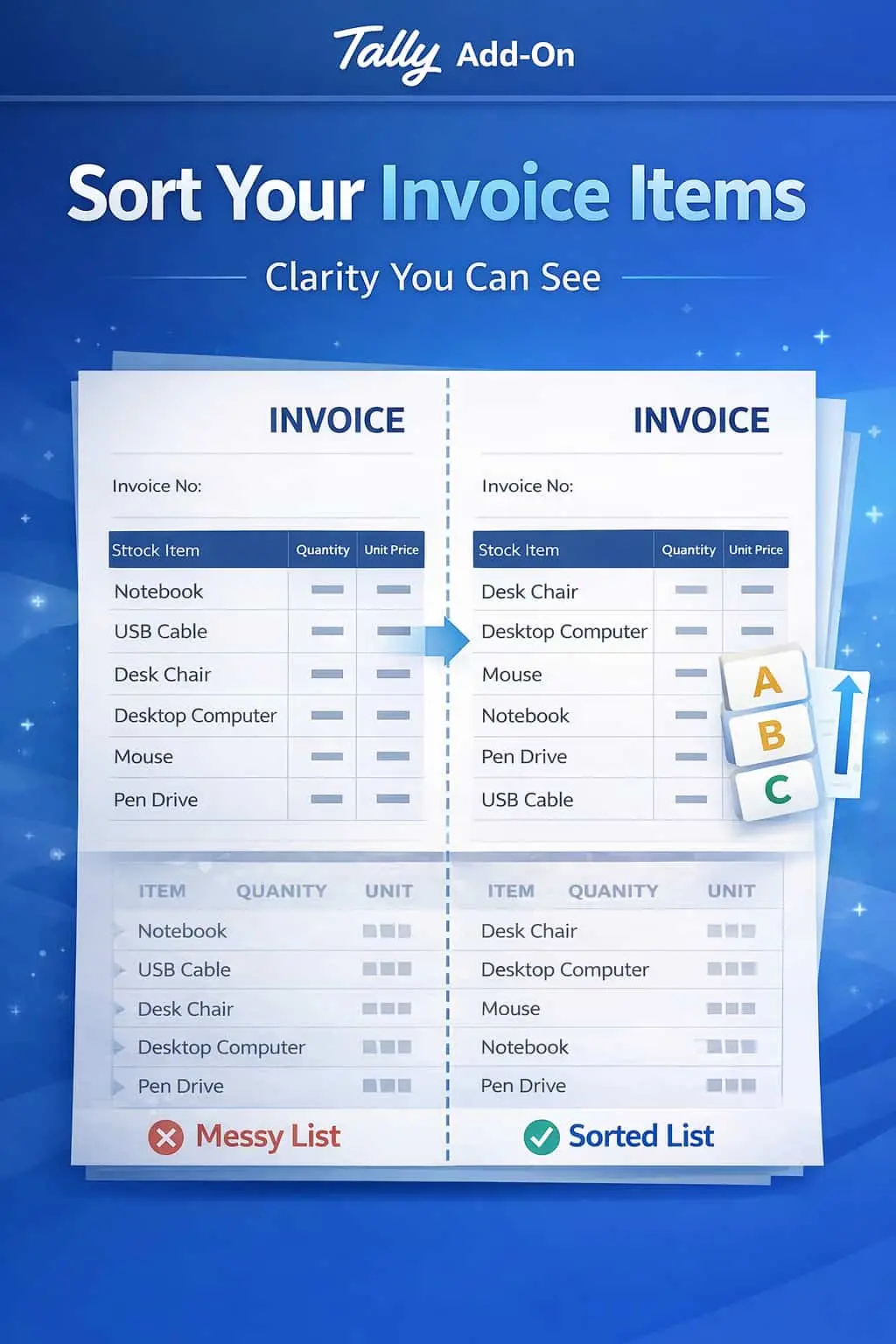
Enable Stock Item Sorting in Invoice Print
Automatically Organize Stock Items for Better Clarity & Professional Presentation
GET NOWEnable Stock Item Sorting in Invoice Print in TallyPrime
Automatically Organize Stock Items for Better Clarity & Professional Presentation
Invoices with a long list of stock items can often become messy and difficult to navigate, especially if the items appear in the random order they were entered. In standard TallyPrime, this lack of organization leads to:
Items are scattered, making the invoice look unprofessional.
Customers and warehouse staff struggle to cross-check items against physical stock.
A confusing bill can lead to payment delays and unnecessary queries.
Finding a specific item in a 50-item invoice becomes a time-consuming task.
The Enable Stock Item Sorting in Invoice Print Add-on solves this by automatically re-arranging your items based on logical sorting rules, ensuring a structured and clean printout every time.
This add-on is a custom Tally module that re-orders the printing sequence of your stock items without affecting your original data entry. With this add-on installed, Tally can:
Automatically arranges items from A to Z (or Z to A) for easy searching.
Keeps similar items together by sorting them according to their Stock Group or Category.
Organize items based on Part Numbers or Quantities for warehouse efficiency.
Ensures every invoice follows the same professional structure, regardless of who entered the data.
A well-organized invoice is a sign of a well-organized business. If you are a wholesaler or distributor dealing with hundreds of SKUs, your customers appreciate a bill where they can find items quickly. This add-on helps you standardize your documentation, making your billing process transparent and highly professional.
Multiple Sorting Criteria
Choose to sort by Item Name, Item Code (Part No), Quantity, or Stock Group/Category.
Automatic Execution
Once configured, the sorting happens automatically at the time of printing with no manual intervention.
Improved Readability
Grouping similar items together makes it incredibly easy for customers to understand the bill.
All Document Types
Applicable to Sales Invoices, Purchase Orders, Delivery Notes, and Quotations.
High Performance
Sorts even large item lists instantly without delaying the print command.
-
✔
Enhanced Brand Image: Present clean, structured, and corporate-style invoices to your clients.
-
✔
Reduced Billing Queries: Clearer invoices mean fewer phone calls from customers asking for item locations in the bill.
-
✔
Faster Stock Verification: Warehouse teams can verify items much faster when sorted alphabetically or by group.
-
✔
Operational Standardization: Ensure all invoices across branches look identical and organized.
💊 FMCG & Pharma
Grouping items by category (e.g., Tablets, Syrups, or Groceries) for easier checking.
🔧 Hardware & Spare Parts
Sorting items by Part Number or Name to help technical teams verify the delivery.
🛒 Retailers
Printing clean, alphabetical receipts that look polished and are easy for customers to read.
Add Your Review
Your email address will not be published. Required fields are marked *
Upload photos